-2.png?width=100&height=100&name=Learning%20Genie%20Logo%20(400%20x%20400)-2.png)
Learning Genie provides a Quick Search feature that allows you to access observations from earlier timeframes or rating periods.
To view a child's observation notes from a prior rating period, follow these steps:
- Log in to the Learning Genie Web Portal on your computer.
- Navigate to the child's classroom and click on the Portfolio tab.
- Click on Quick Search; a drop-down menu will appear, or use the date selector to choose the desired prior rating period.
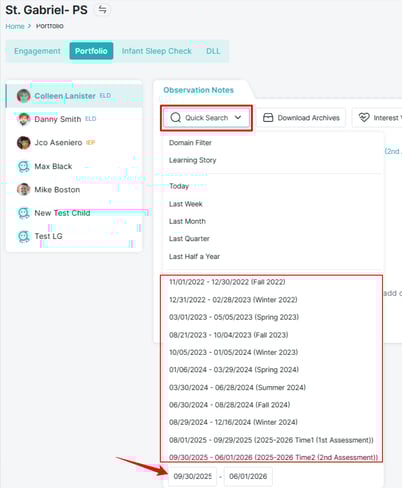
- All observation notes recorded during that rating period will be displayed on the screen.
-
- PDF by Domain: This option shows DRDP ratings and notes organized by domain for the selected rating period.
- PDF by Date: This option displays all observation notes for the period, sorted by date.To download the report, click the PDF button. You can choose between:
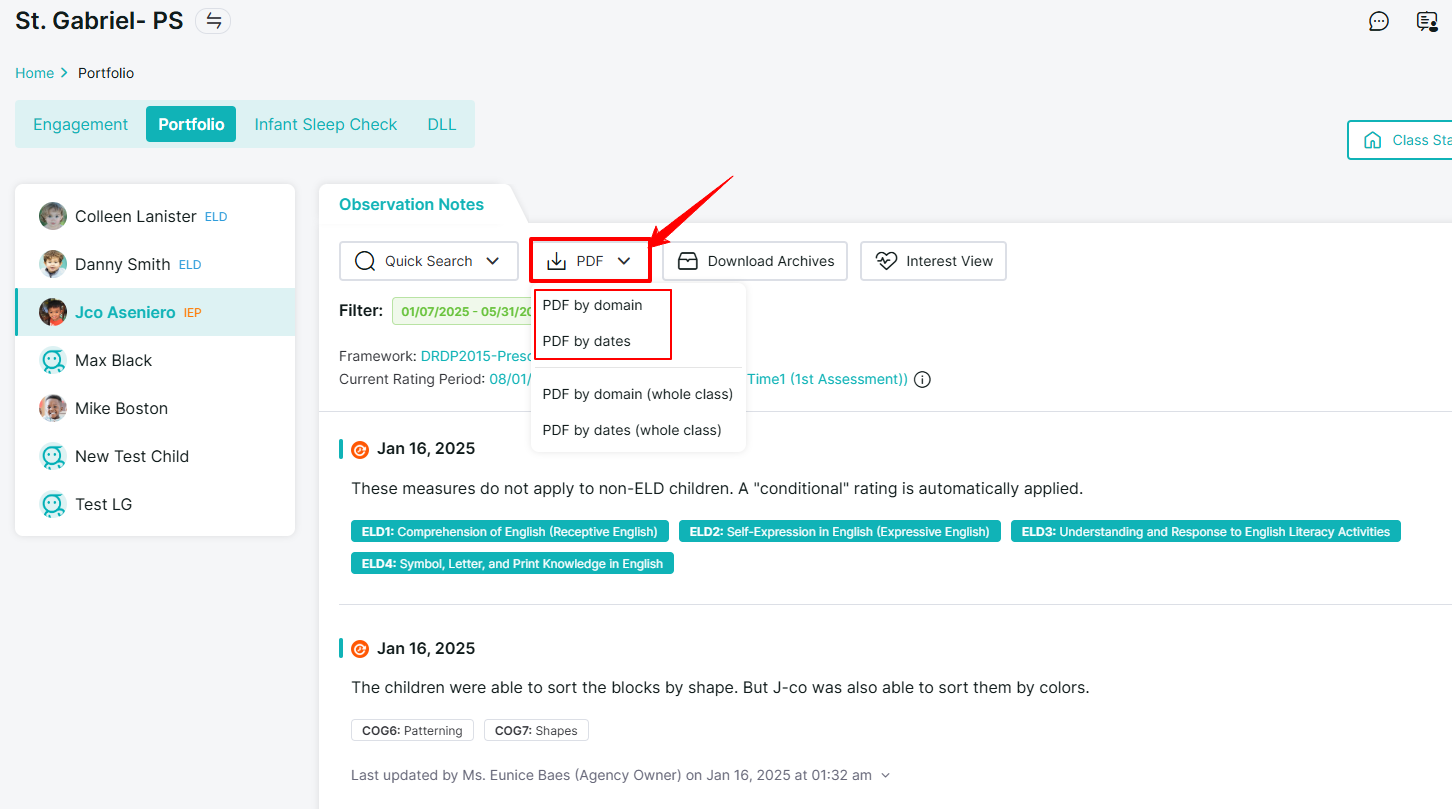
These steps will provide you with a complete view or a printable version of the child's observations for any selected prior period.
Need Help?
If you run into issues or have questions, the Learning Genie Support Team is here for you!
Email: help@learning-genie.com
Phone: 760-576-4822