-2.png?width=100&height=100&name=Learning%20Genie%20Logo%20(400%20x%20400)-2.png)
Once you have generated and assigned PoG Mini Masteries and unit-level Performance-based Assessments, tracking student engagement and progress becomes essential.
Curriculum Genie brings together multimodal evidence from the daily learning process and long-term PoG development, creating a holistic, data-driven picture of student progress.
Here is your step-by-step guide to tracking submissions and acting on real-time insights to support your students.
Step 1: At-a-Glance Project Management
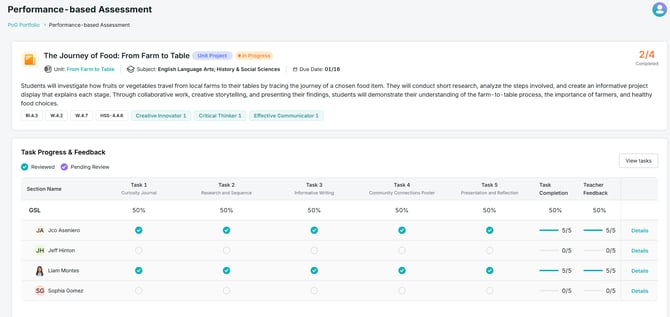
From your main PoG Portfolio dashboard, you can instantly track every student's progress on active assignments.
• Monitor Statuses: Easily view which assignments are "In Progress," "Completed," or "Awaiting Reflection".
• Identify Needs: This high-level view allows you to see exactly how many students have submitted their work versus how many are still working, making it easy to identify who might need targeted support or reminders.
Step 2: Reviewing Individual Submissions
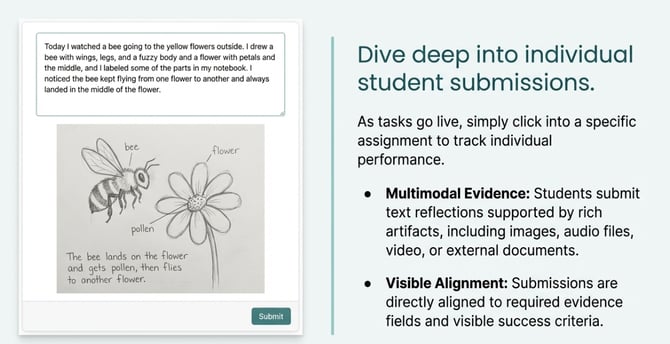
As tasks go live and students begin submitting their work, you can dive into specific assignments to track individual performance.
- Multimodal Evidence: Students will submit text reflections supported by multimodal artifacts (images, audio, video, or attached files).
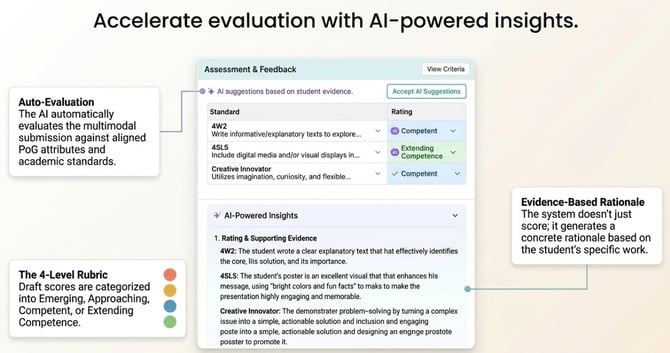
- AI-Powered Insights: When you review a submission, you will see how the AI has automatically evaluated the work against the aligned PoG attributes and the 4-level rubric (Emerging, Approaching, Competent, Extending Competence).
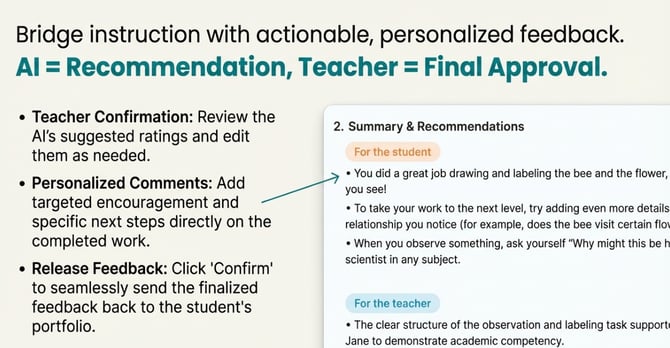
- Actionable Feedback: You can track the AI's suggested ratings, edit them as needed, and provide personalized comments directly on the completed work, seamlessly bridging instruction with assessment.
Step 3: Utilizing the Graduate Portrait Tracker
For a comprehensive, long-term view of skill development, navigate to the Graduate Portrait Tracker tab located at the top of your PoG Portfolio. This tracker provides a panoramic view of your class's growth.
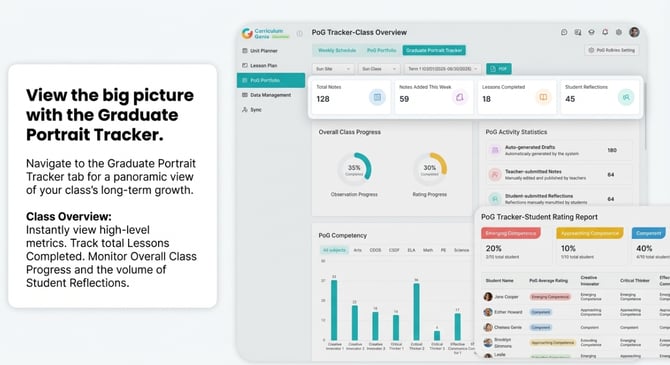
- Class Overview: View high-level metrics such as "Overall Class Progress," "Lessons Completed," and the total number of "Student Reflections".
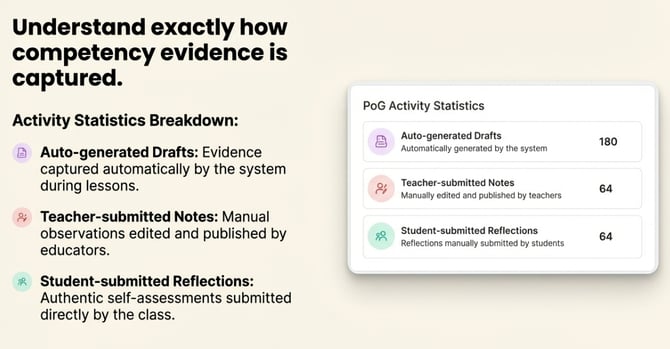
- PoG Activity Statistics: See exactly how evidence is being captured by breaking down the number of auto-generated drafts, teacher-submitted notes, and student-submitted reflections.
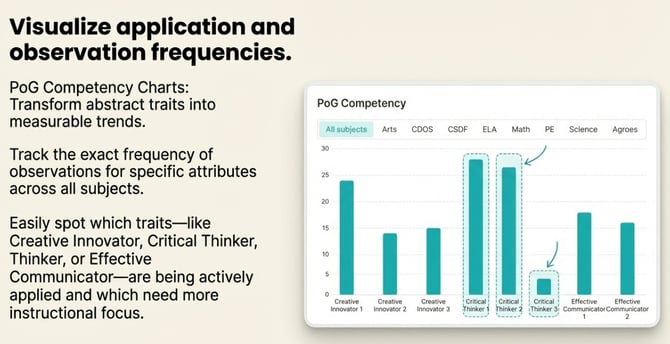
- PoG Competency Charts: Visualize application and observation frequencies for specific traits (e.g., Creative Innovator, Critical Thinker, Effective Communicator) across all subjects.
Step 4: Analyzing Student Rating Reports
Within the Graduate Portrait Tracker, you can drill down into specific student data to inform your future teaching strategies.
- Student Rating Report: This report aggregates the data to show you the percentage of your total students currently performing at each rubric level (e.g., 20% Emerging, 40% Competent).
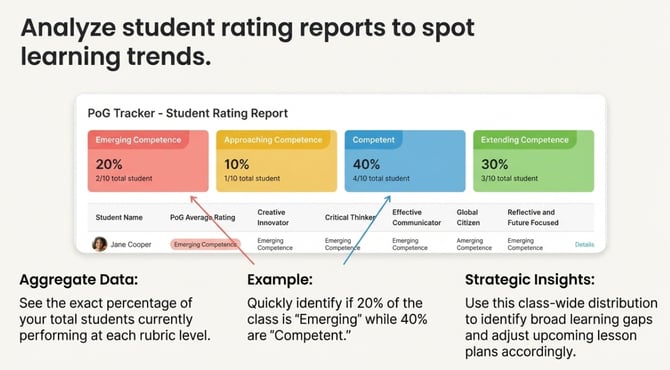
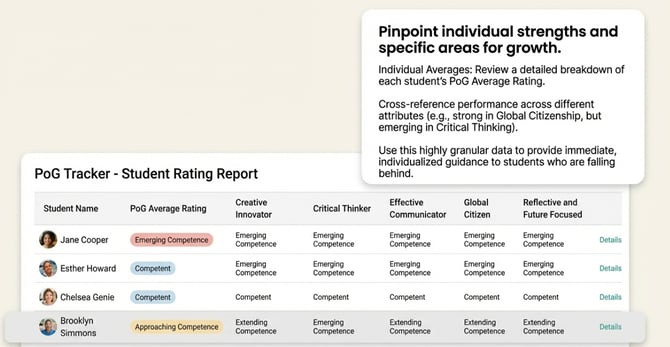
- Individual Averages: Review a detailed breakdown of each student’s PoG Average Rating across different attributes, making it easy to spot individual strengths and specific areas where a student may need further development.
Acting on Real-Time Insights By regularly utilizing the PoG Portfolio and Graduate Portrait Tracker, you transform individual assignments into a visible, trackable growth trajectory.
Easily tracking these submissions allows you to act on real-time insights, automatically identify learning gaps, and visualize long-term competency growth. Ultimately, these tools empower you to provide immediate guidance to students while continuously refining your instructional approach.
Need Help?
If you run into issues or have questions, the Learning Genie Support Team is here for you!
Email: help@learning-genie.com
Phone: 760-576-4822