-2.png?width=100&height=100&name=Learning%20Genie%20Logo%20(400%20x%20400)-2.png)
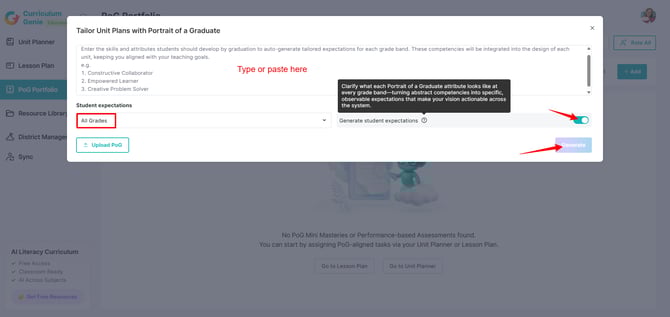
Note: If your district has developed its own Portrait of a Graduate (PoG) framework — separate from any State-level PoG — this guide will walk you through how to configure it in your admin account.
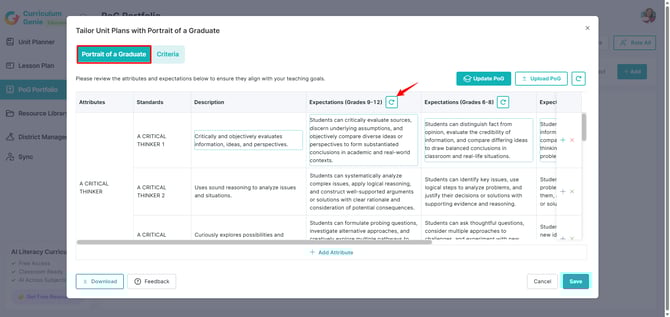
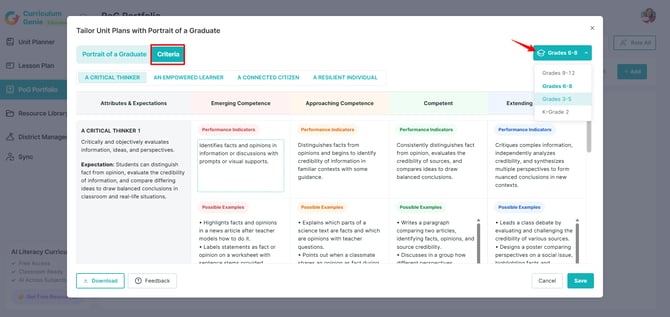
Your district's custom PoG framework serves as the foundation for generating PoG-aligned Unit Planners, Lesson Plans, Performance-based Assessments, and Mini Masteries, including setting up attributes, actionable expectations, and rubrics.
If these attributes are not configured by the Admin, teachers will still be able to generate PoG-aligned Lesson and Unit Plans, but will not be able to select their specific district's PoG framework.
A. Accessing the Configuration Dashboard
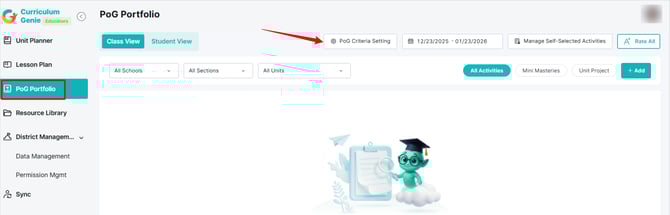
Note: If you are a new user enabling the PoG Assessment feature, you may see a "New Feature" popup prompting you to set up or upload PoG attributes immediately.
B. Options for Setup
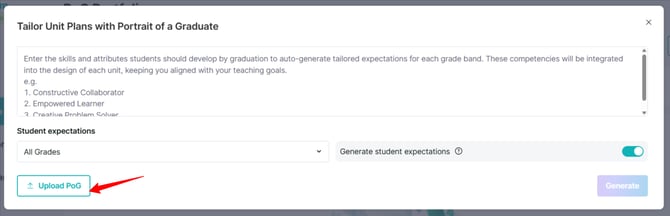
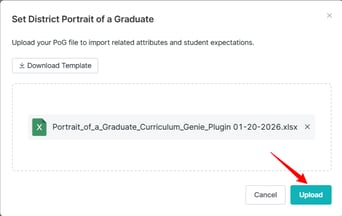
.xlsx template.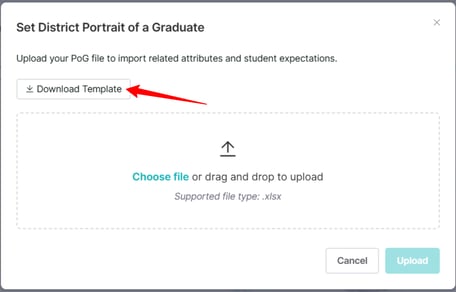
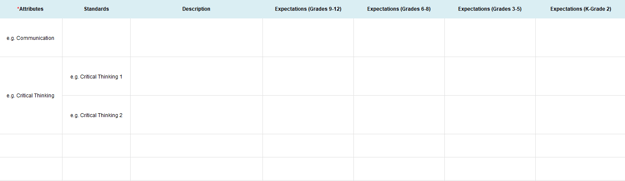
3. Reviewing and Finalizing Rubrics
Need Help?
If you run into issues or have questions, the Learning Genie Support Team is here for you!
Email: help@learning-genie.com
Phone: 760-576-4822