-2.png?width=100&height=100&name=Learning%20Genie%20Logo%20(400%20x%20400)-2.png)
Curriculum Genie specializes in supporting IEP/ELD children by incorporating Universal Design for Learning (UDL) and Culturally and Linguistically Responsive Practice (CLR) into every lesson plan. By syncing student demographics, the system generates practical, student-specific supports to help teachers differentiate instruction and design inclusive lessons efficiently.
How to Adapt Your Units
Teachers can enhance their curriculum with UDL and CLR strategies through a guided workflow within the Unit Planner.
Step 1: Open the Adapt Tool
Navigate to the Unit Planner and select the unit you wish to modify. Click the Adapt UDL and CLR button located in the top-right action menu.
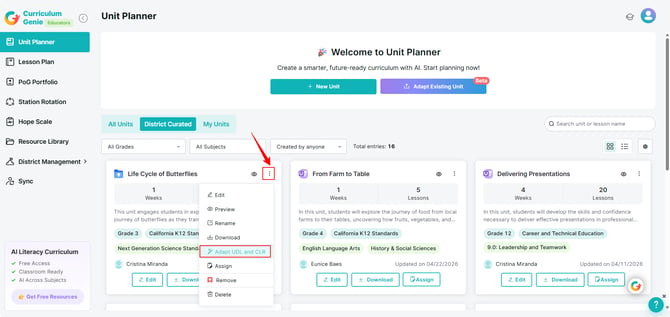
Step 2: Select Unit and Personalization Data Source
In this step, you define the source of student information that the system will use to generate tailored instructional supports.
In the configuration window:
-
Select Your Unit: Choose the specific unit (e.g., "Life Cycle of Butterflies").
-
Select Personalization Data Source
- Student Demographics & Needs:
This option uses pre-existing student profiles you manually documented in the system or automatically synced from your district’s SIS, such as Clever or ClassLink. By selecting a specific Section, the system pulls saved demographic data including IEP/IFSP status, ELL status, and 504 plans to create targeted supports.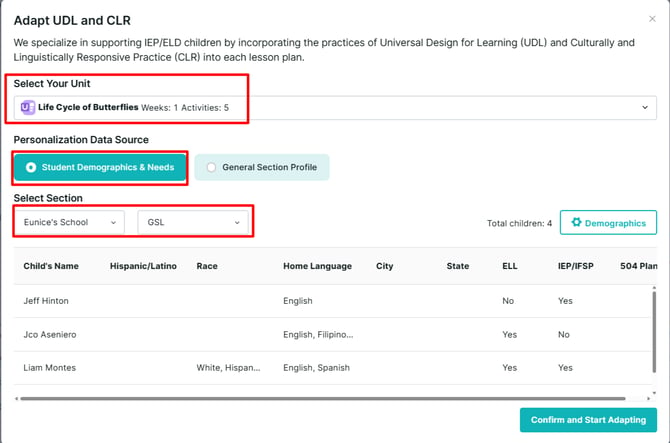
- General Section Profile: If specific student profiles are not being used, this is where you manually input your class demographic details.
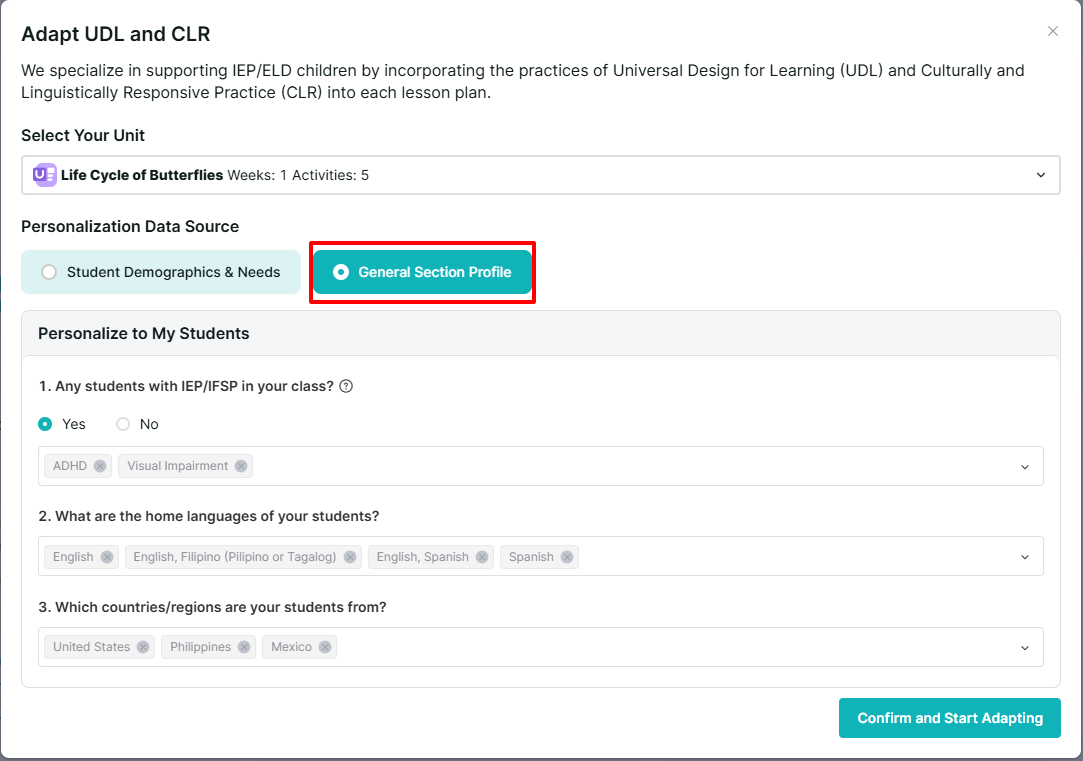
- Student Demographics & Needs:
Note: This information is critical as it allows the AI to link curriculum tools to specific student needs.
Step 3: Confirm and Generate
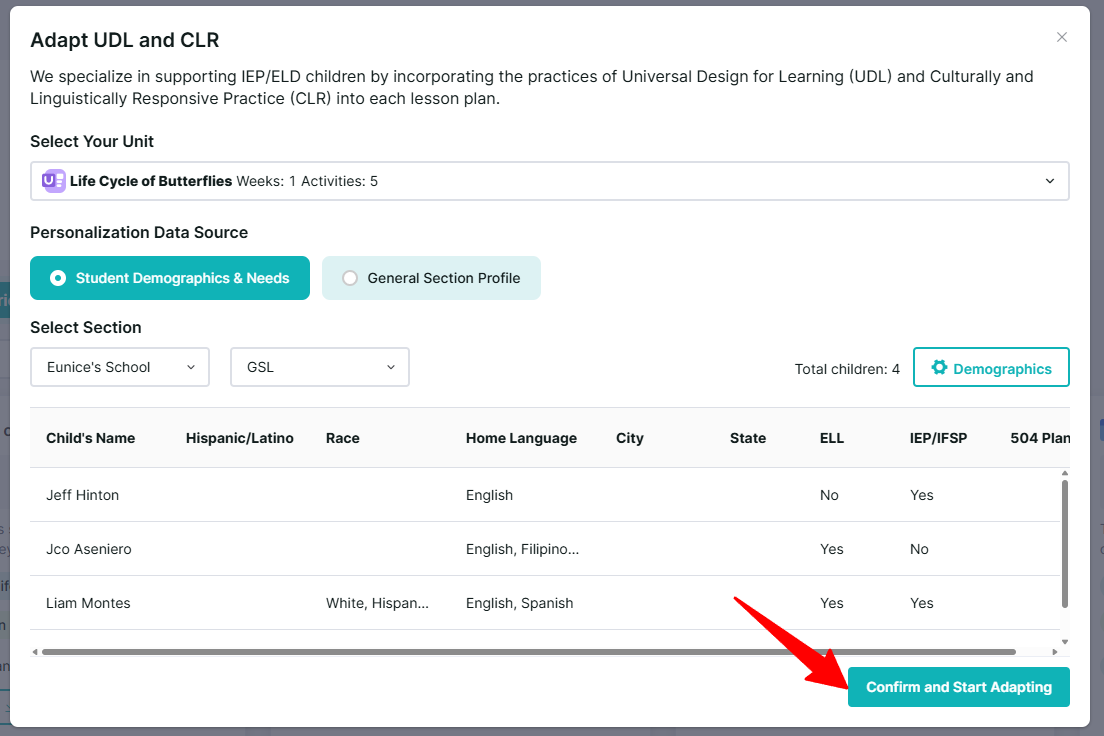
Once you have verified the section data, click Confirm and Start Adapting. The system will then generate tailored instructional supports embedded directly into your lesson activities.
💡 Benefits of UDL & CLR Adaptation
-
Practical Supports: Automatically generates strategies for specific students based on their actual IEP goals or ELD levels.
-
Inclusive Atmosphere: Helps cultivate a welcoming environment for children from diverse cultural backgrounds.
-
Efficiency: Significantly reduces the manual time required to differentiate whole-class lessons for individual learners.
-
Teacher Support: Provides specific tips within daily lessons to implement inclusive skills effectively.
For further assistance or if you have any questions, please reach out to our support team.
Email: help@learning-genie.com
Phone: (760) 576-4822